
The short answer
What it sees, and what it never sees
Your company chooses the plan and the settings, so ask your manager which of these are switched on. Whatever they choose, you can always see your own data.
A tracked day, hour by hour
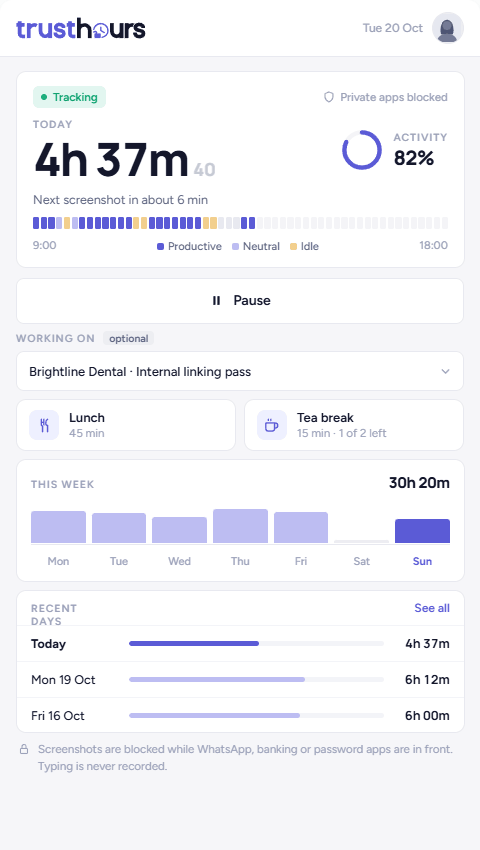
Capture follows your timer. Here is how one ordinary day looks from the inside.
What you control
A system people can step out of is one they will accept. That is why the controls sit with you, not hidden in an admin panel.
Why we explain this to employees
Monitoring is common. Being told about it is not.
We publish this page so the people being tracked never have to guess. If your employer uses TrustHours, everything above applies to you.
For managers: introduce TrustHours to your team
Telling people first is the difference between a tool your team accepts and one they resent. Four steps, then a message you can send today.
Questions employees ask
Can my employer see my screen with TrustHours?+
Only while your timer is running. TrustHours takes a screenshot at a random moment in each interval your company sets. On the Business plan a manager can also open a live view, which stores nothing, and screen recording is a separate switch your company would have to turn on. While you are paused, on a break or the app is closed, nothing is captured.
Can my employer see what I type?+
No. TrustHours counts keyboard and mouse activity, so your manager sees an activity level, not words. It cannot see what anyone types, and passwords are masked in every screenshot.
Can my employer see which websites I visit?+
On the Business plan, app and website usage is recorded while you are tracking. Nothing is recorded while you are paused or on a break, and screenshots skip banking, password and chat apps when they are in focus.
Does TrustHours track me when I am not working?+
No. It only records while the app is running and tracking is on. Pausing, taking a break or closing the app stops all capture. Your manager can see that you paused, so stepping away is visible, not hidden.
I work for two clients on one laptop. Will TrustHours see the other client's work?+
Only if your timer is running while you do it. Pause or stop tracking before you switch to the other client, and nothing is captured. If the other work uses different apps, your company can also list those apps as restricted so they are skipped or blurred.
Can I see my own screenshots?+
Yes. Everyone has their own view of their day, their screenshots, their hours and their activity in the TrustHours app, so you see exactly what your manager sees about you.
Is it legal for my employer to monitor me?+
It depends on where you work. In the US, New York, Connecticut, Delaware and Maine have laws requiring employers to give notice of electronic monitoring. In the UK, the ICO's guidance expects employers to be open about monitoring. This is general information, not legal advice; ask your HR team or a lawyer about your situation.
Want a tracker your team will not resent?
14 days free. No card needed.