
What an agency needs from a time tracker
Agency owners shortlisting trackers look for the same things: hours by client, budgets, proof of work and fair treatment of the team. Here is how TrustHours covers each one, including the one thing it does not do.
How a client week runs in TrustHours
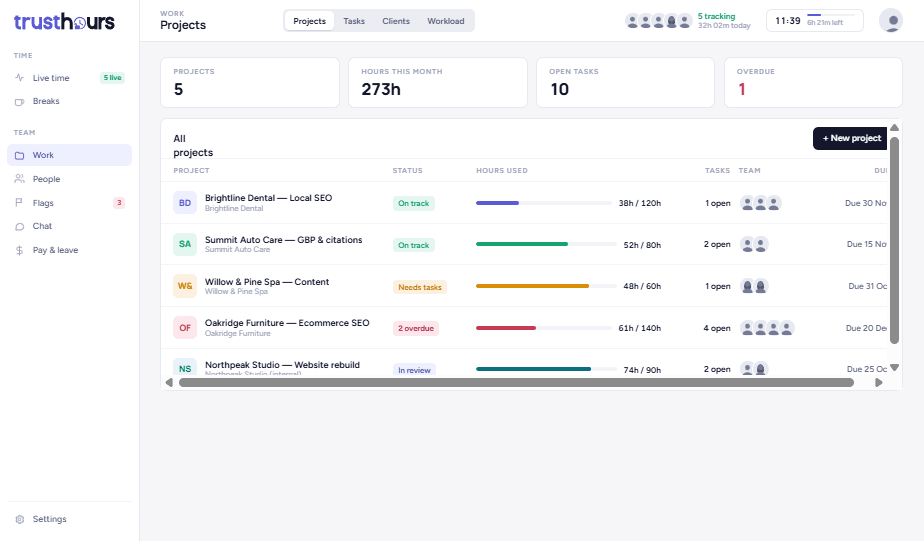
Set up each client with an hour budget
Create a project per client or retainer, set the budget in hours, and assign the team. Every tracked minute lands on the right client.
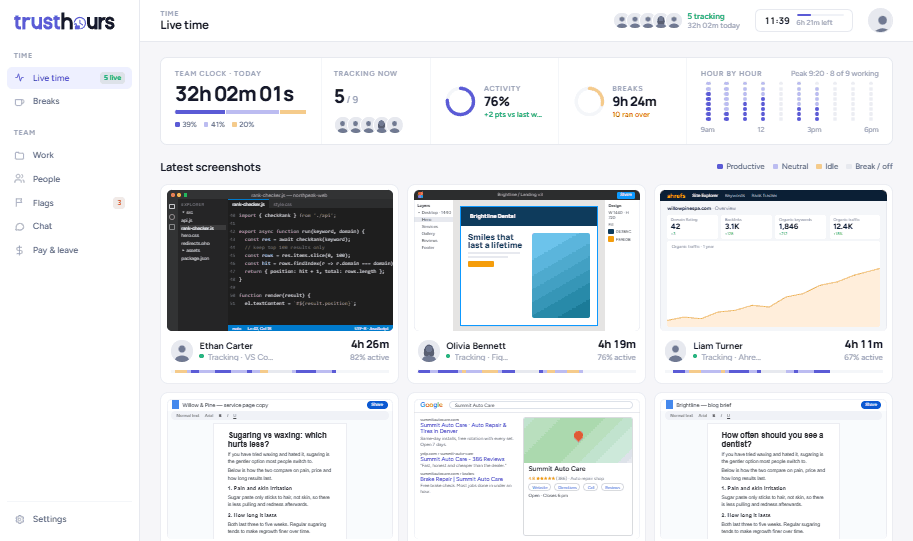
Know how the day is going without asking
The live board shows who is tracking now, the team clock, average activity and the latest screenshot from everyone.
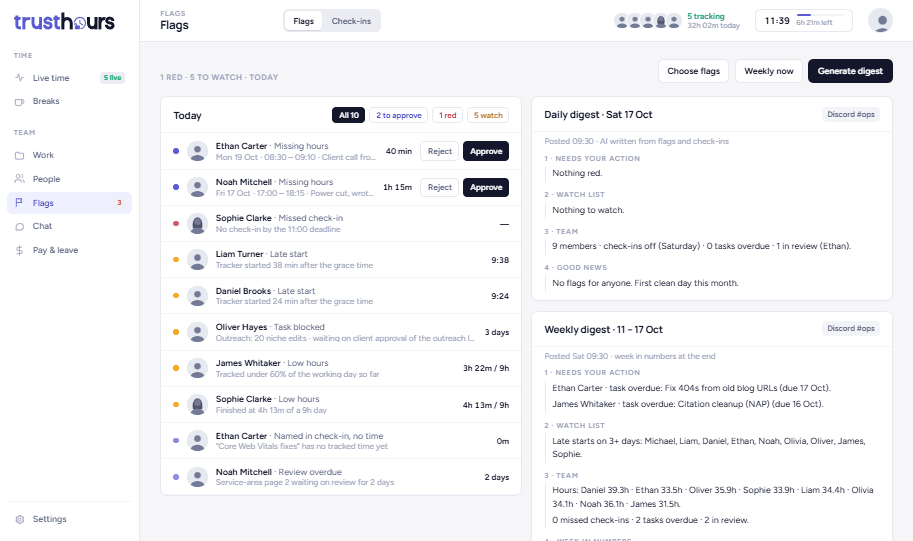
Let problems come to you
Missed check-ins, late starts and low activity show up as flags, with one click to remind. A daily digest arrives by email.
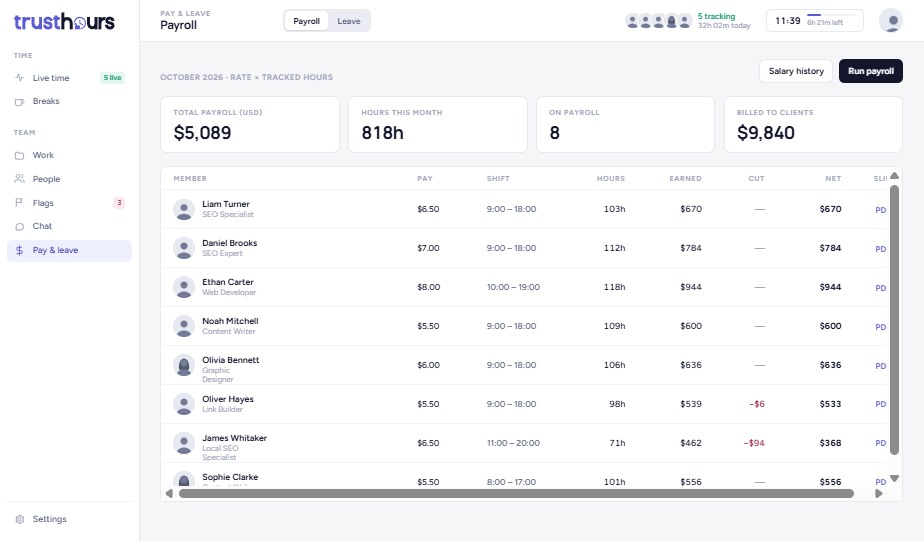
Pay the team from the same hours
Payroll uses tracked hours with hourly or monthly pay per person, in 40 currencies, with sick and annual leave.
What your team would pay.
TrustHours Team against Hubstaff Team, both billed monthly. Move the slider to your team size.
Proof for clients, without losing your team
Clients want proof. Your team wants to be treated like adults. Most trackers make you choose. TrustHours asks people first, shows them exactly what their manager sees, and keeps breaks off the record.
Already using another tracker?
See how TrustHours compares, feature by feature and price by price, with steps for switching.
Questions
Is TrustHours a good fit for agencies with contractors?+
Yes. Contractors install the same Windows app and track to the same client projects. Payroll supports hourly or monthly pay per person in 40 currencies, and you are billed only for active users, so seasonal contractors do not cost you when they are not working.
Does TrustHours create client invoices?+
Not today. TrustHours tracks hours by client and project, shows budgets and runs payroll, but it does not send client invoices. Most agencies keep invoicing in their accounting tool and use TrustHours for the hours behind it.
Does it work if my team uses Macs?+
The tracking app runs on Windows 10 and 11 today, and a macOS app is in progress. Owners and managers do not need the app at all: the dashboard works in any browser, on any computer.
How long does setup take?+
Most teams are set up in under 10 minutes. Create your clients and projects, invite the team by email, and each person installs the Windows app in about 2 minutes, with no admin rights needed.
What does TrustHours cost for a 10-person agency?+
On the Team plan, 10 users cost $48 a month at the launch price of $4.80 per user, and $80 a month at the regular $8. The first 20 teams to subscribe keep the launch price for as long as they stay subscribed.
Run your next client week on TrustHours.
14 days free. No card needed.